Transitrix Studio
Open your text model and see it as a diagram or report.
Transitrix Studio is a set of editor extensions and a command-line tool for models written with the Transitrix Methodology.
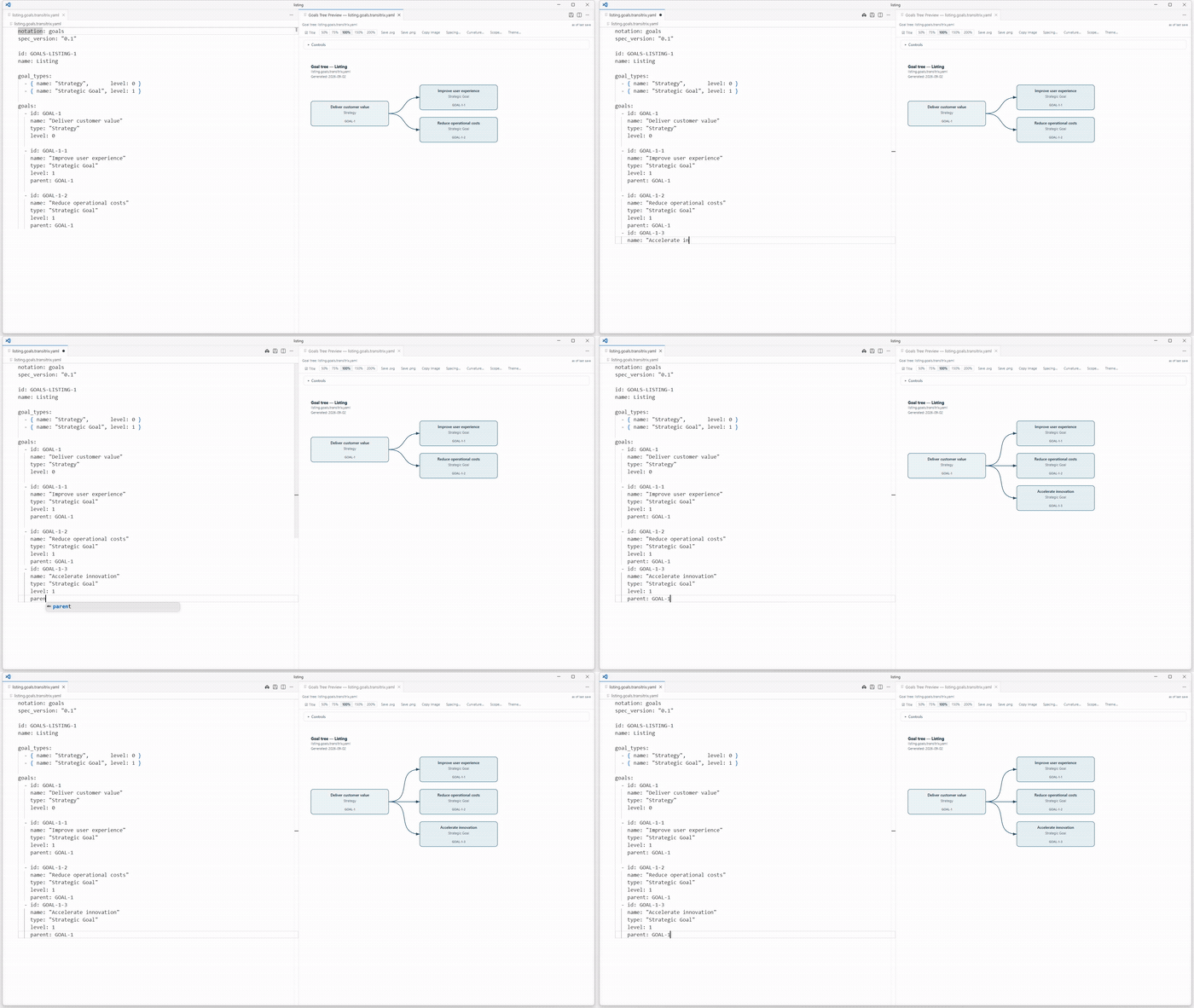
Demo: add a goal and see the tree update
The recording shows a goal being added in a YAML file and the goal tree updating in VS Code when the file is saved.
Recorded demo in VS Code
Read or copy the goals-tree example
Watch the Obsidian walkthrough (1:52) — English narration, close-ups and object highlights show source editing, the goal tree and a driver-to-action chain.
What you can open
Use the model examples to see how a capability map, process blueprint or BPMN process is written. Studio works with structured model files, including YAML with a notation-specific filename suffix.
In the VS Code extension, the Traceability Matrix and Requirements by Release reports use requirement and related records in the model. Review the report inputs and scope before choosing a report.
Choose an editor or the command line
- VS Code-compatible editors · 3.10.0
- Preview supported diagrams, including BPMN, and use repository reports. Cursor, VSCodium and Windsurf can install from Open VSX. For Microsoft VS Code, use the VSIX file.
- JetBrains IDEs · 3.10.0
- Compatible IDE builds 242–262 with JCEF show a read-only snapshot for supported notations. Reopen the preview after edits. Use the VS Code extension for BPMN and the requirements reports.
- Obsidian Desktop · 0.1.1
- The separate plugin previews supported, self-contained YAML blocks in Reading view. It requires Obsidian Desktop 1.0.0 or newer.
- Command-line tool · 2.13.0
- Install separately to validate supported model files or compile BPMN YAML to BPMN XML. The CLI requires Node.js 20 or newer.
Open an example in your editor
Pick your editor, install the matching extension, then open a supported model file. Start with one of the examples before using your own repository.